What's New in AI Crucible: June 2026
We shipped a dense batch of features this month. You can now plug in your own OpenRouter key, drop book-length PDFs into a run, and search the web on every plan. Reasoning models expose their thinking, and a free agreement score tells you at a glance how much your models actually concur.
Time to read: 5-6 minutes.
Here is the short version, with deeper walkthroughs linked under each item.
Can I bring my own models now with the Connect tier?
Yes. The new Connect tier is $5 per month. You add your own OpenRouter API key, then add any OpenRouter model by its owner/model ID. Those model runs are unmetered by us — OpenRouter bills your key directly, and the cost line in AI Crucible reads $0.
The $5 also includes 300k unified tokens per month for web search and built-in platform models, plus all seven ensemble strategies. It is the cheapest way to run a frontier model that AI Crucible does not host natively, inside the same competitive and collaborative strategies as everything else.
We put it to the test. Two OpenRouter-only models — Cohere Command R+ and NVIDIA Nemotron 49B — ran a two-round design debate entirely on the key, at $0 metered. A panel of judges then scored Nemotron 9.3/10, ahead of both Cohere and the synthesized answer.
Read the full walkthrough: Bring Your Own Key: Run Any OpenRouter Model in an Ensemble.
How does AI Crucible handle large PDFs?
Small PDFs still go straight into the model. PDFs over 1.5 MB now take a different path. We extract the text, split it into overlapping chunks, embed them, and index them. During the run, models call three new tools to pull only what they need:
pdf_search— semantic search across the document, ranked by relevance.pdf_list_docs— list the large PDFs attached to the conversation.pdf_get_pages— read the verbatim text of specific pages, with page numbers for citation.
This keeps a 200-page report from blowing up the context window, and it lets each model cite the exact page it pulled a figure from. Scanned or image-only PDFs no longer fail silently — you get a clear notice that the file had no extractable text.
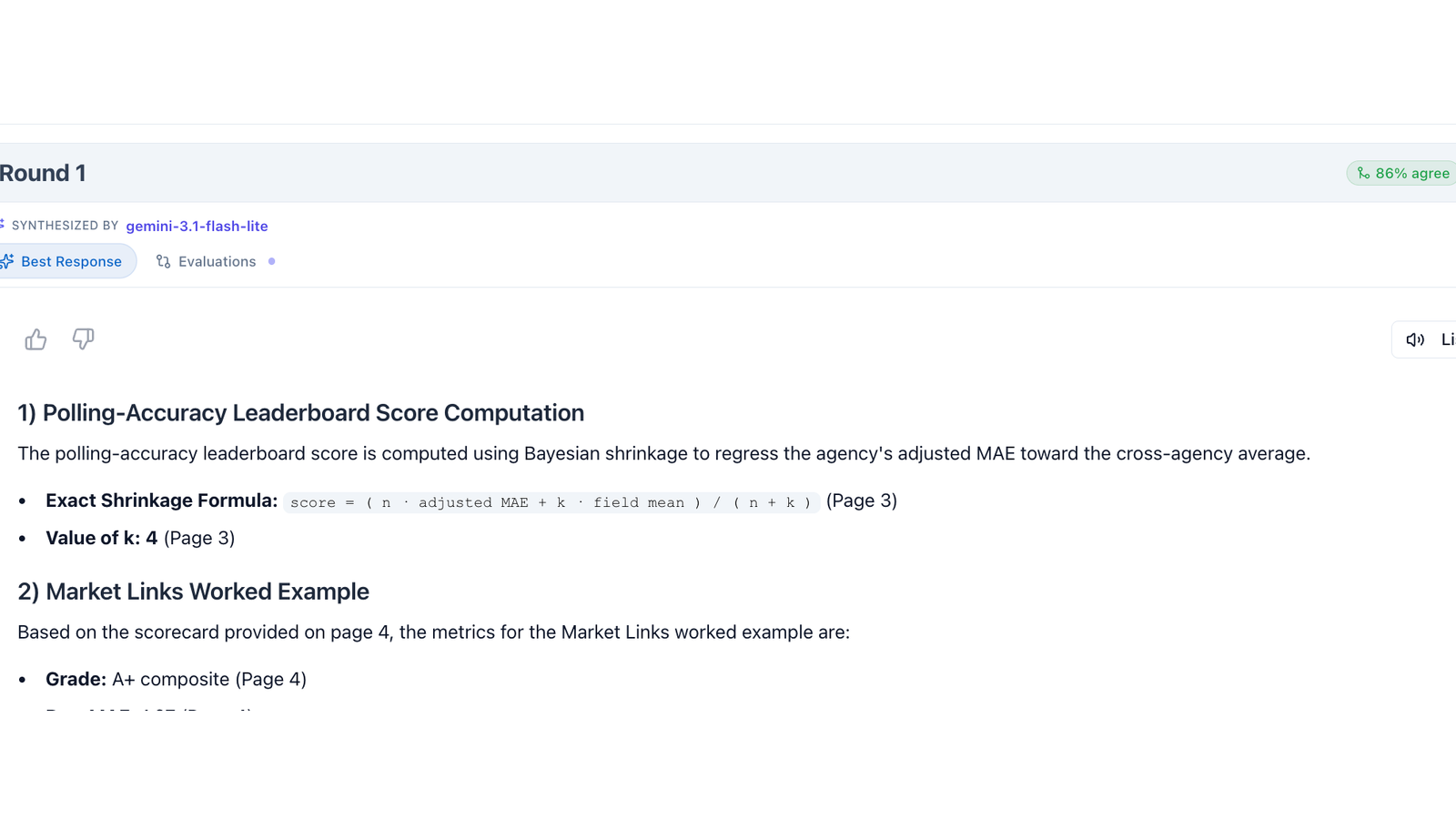
Read the full walkthrough: Analyze Large PDFs: Page-Cited Search Across Long Documents.
Is web search available on every plan now?
Yes. Web grounding moved to every tier, including Connect, at a lower flat charge of 2,500 unified tokens per search (about half a cent). It is powered by Tavily, and sources now appear as clickable chips below each answer, deduplicated so a single domain cannot crowd out the list.
We also fixed a subtle accuracy problem. Models used to answer "latest" questions using a year baked in from their training cutoff. AI Crucible now injects today's date into every run and tells models to trust result dates over memory. Ask for the most recent release of something, and the models stop anchoring on last year.
Background reading: Web Search Grounding: Real-Time Intelligence.
Can I control how hard a model thinks?
There is now a reasoning effort control in the tools menu, with four levels: Off, Low, Med, and High. It sets the thinking budget for reasoning-capable models on a per-run basis, so you can spend more compute on a hard problem and less on a quick one.
When a model thinks before it answers, you can read along. Thinking traces are captured for Claude Opus 4.8, GPT-5.5, and GLM, rendered as collapsible markdown under each response. While a reasoning model works, the UI shows a "Reasoning..." state instead of a bare spinner.
Background reading: The New Thinking Models of 2026.
How do I see how much my models agree?
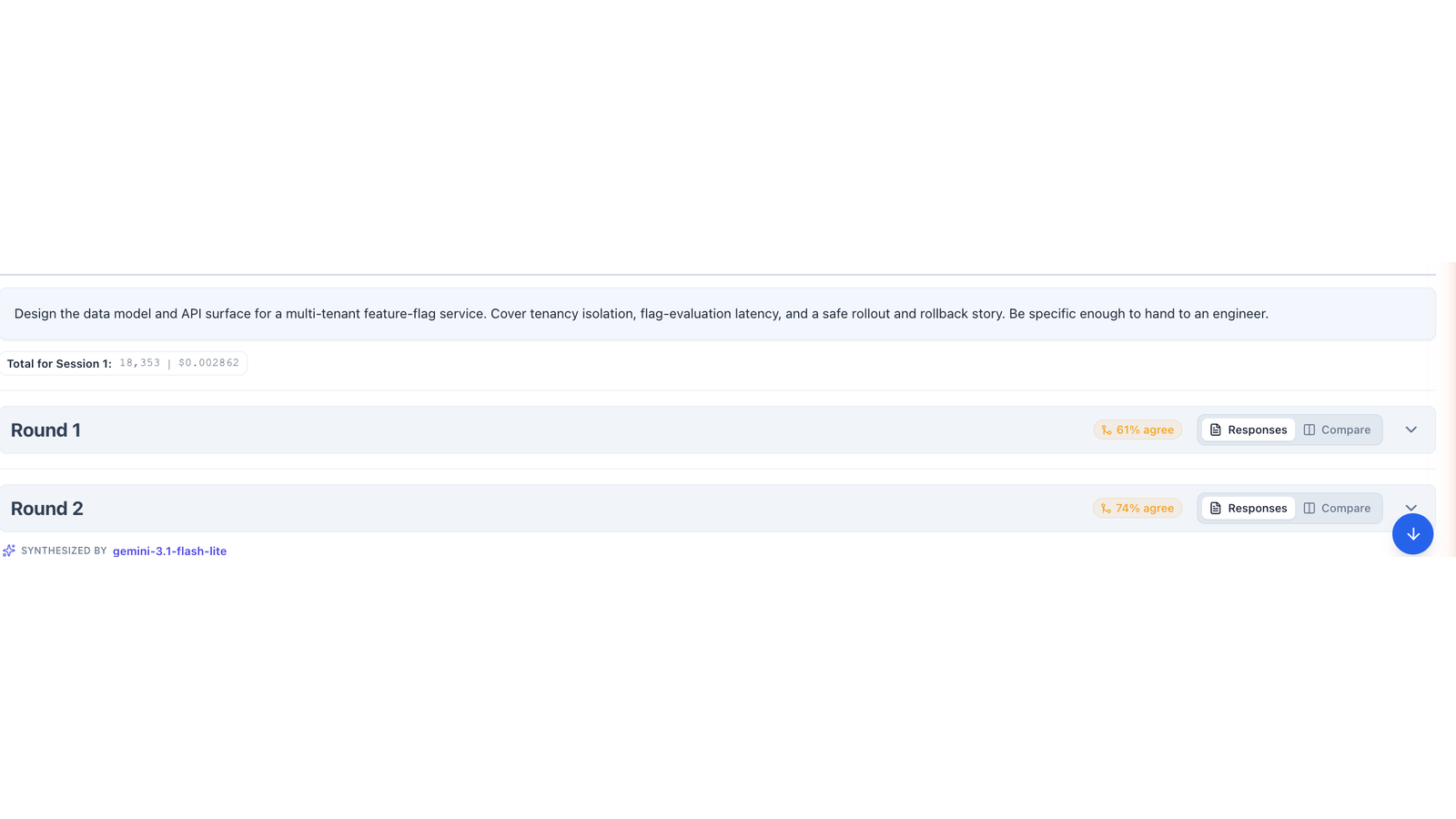
Every multi-model round now shows a free Agreement % badge. It summarizes how similar the responses were, computed from the same pairwise similarity scores we already track. Click it to open the side-by-side view, where the metric columns are now sortable so you can rank models by agreement, cost, or speed.
A high score means the models converged on one answer. A low score means they disagree, which is your signal to read the side-by-side and decide for yourself.
What else changed?
A few quality-of-life upgrades round out the release:
- Model selector grouped by provider, with a pinned "Selected" section so your active models stay at the top.
- Strategy-aware streaming progress that shows "Round X of Y" plus the current phase, so you know where a long run actually is.
- Faster PDF indexing through batched embeddings, and a daily cleanup that retains indexed chunks for 30 days.
- Privacy hardening: deleting your account now also wipes indexed PDF chunks and any stored BYOK keys and models.
Try the new features
- Open the dashboard and pick two or three models.
- To use your own models, add an OpenRouter key under Settings and add models by ID.
- Attach a large PDF, or enable web search from the tools menu.
- Set a reasoning effort level, run, and watch the agreement badge.
We will publish deeper walkthroughs for each feature with real chat sessions. Follow along, or run your own and share the results.
Further Reading
- Bring Your Own Key: Run Any OpenRouter Model in an Ensemble — The full Connect tier walkthrough.
- Analyze Large PDFs: Page-Cited Search Across Long Documents — How PDF search works end to end.
- The Seven Ensemble Strategies — The orchestration patterns these features plug into.